How to configure a workflow in Zoho People Performance Management to automatically send an email notification to an employee once the reviewer has completed the appraisal review?
To set up a workflow to send an email notification to the employee once the reviewer is done.
Please log in to Zoho people with Super Admin credentials. Please follow the steps below.
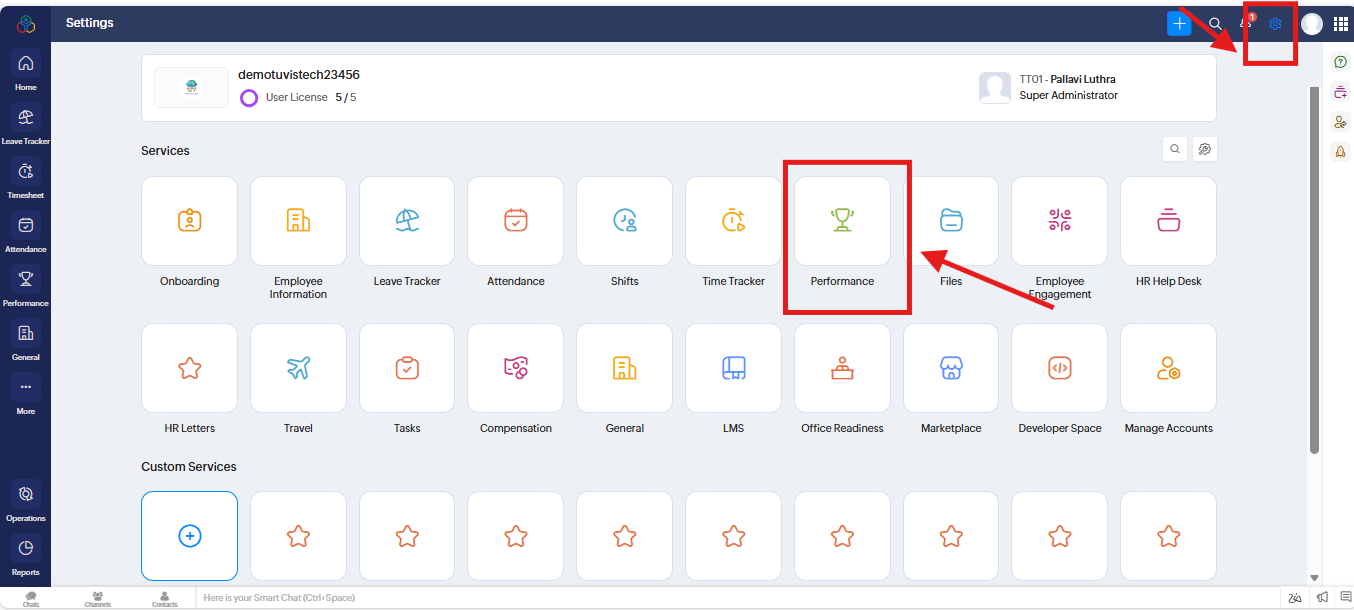
1. Please go to "Settings" to the top right corner and navigate " Performance" and click on it.
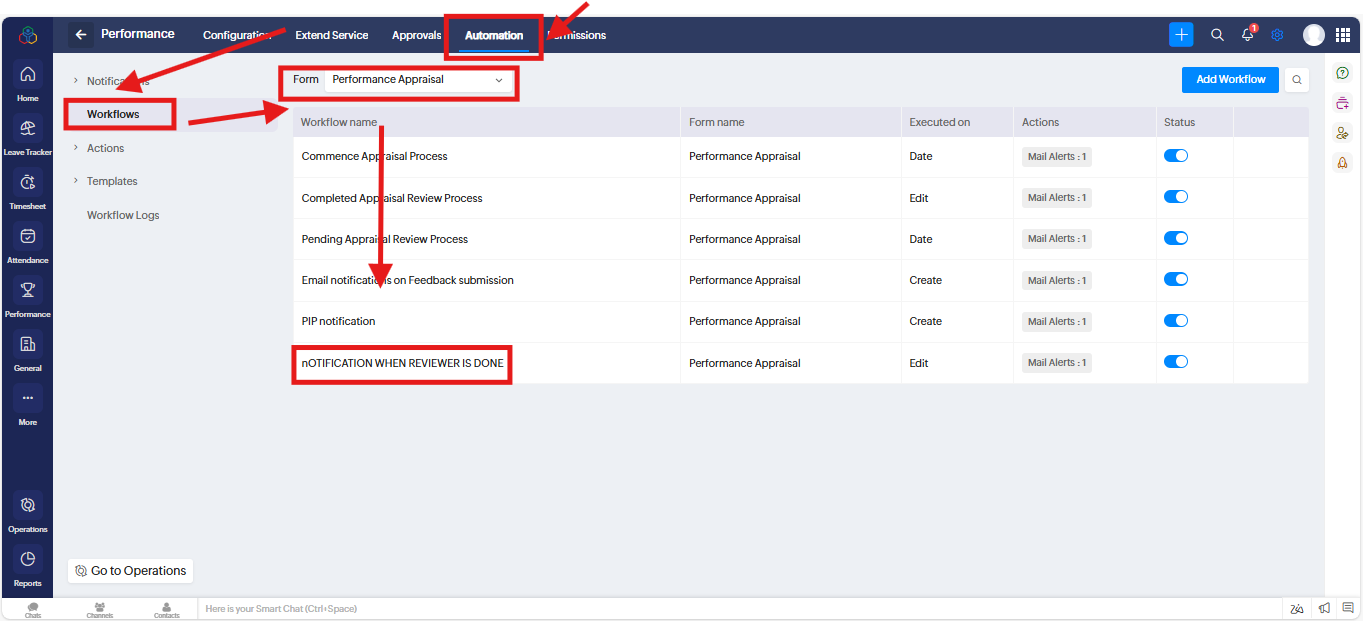
2. A new screen will open. Under " Automation" go to "Workflows" and " Form" and select the "Performance Appraisal" from the dropdown and click on "NOTIFICATION WHEN REVIEWER IS DONE"
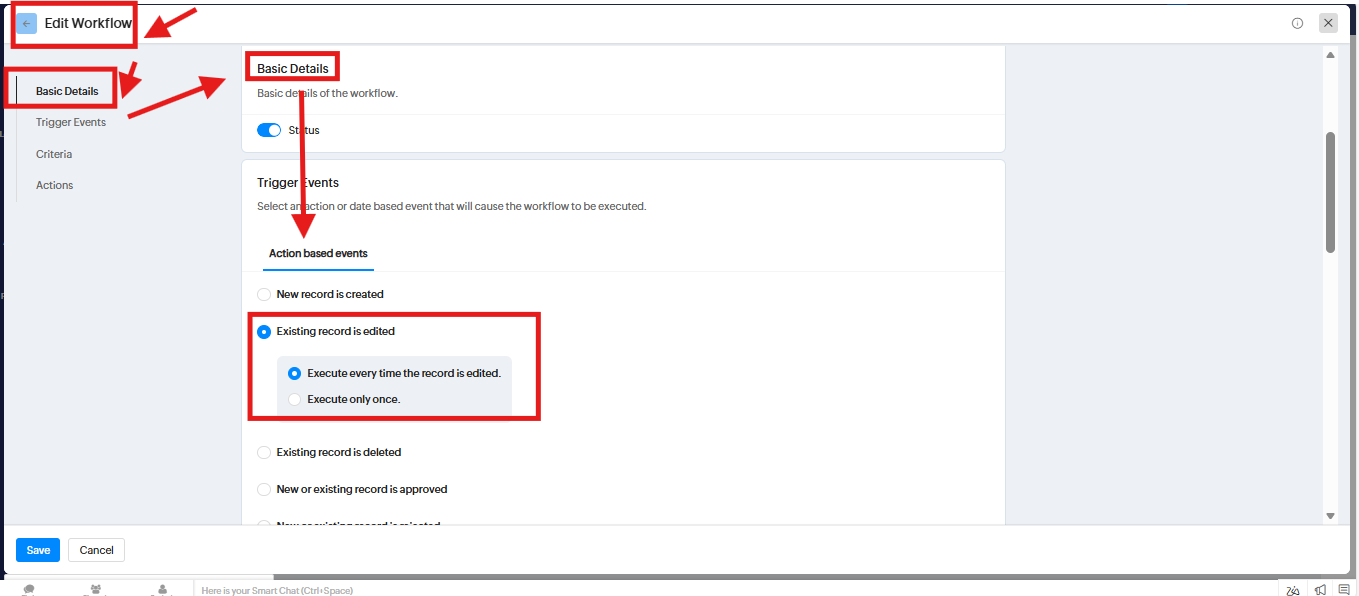
3. A new screen will open. Under "Edit Workflow" go to "Basic details" and "Trigger Events" as per the screenshot.
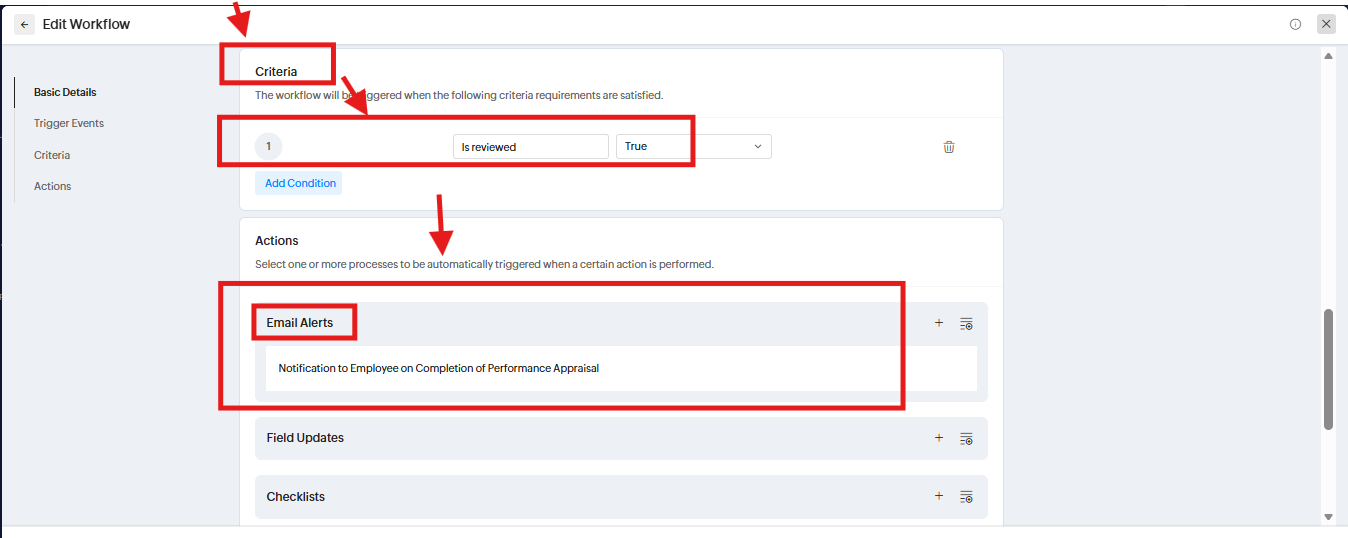
4. Under "Criteria" fill the information as per the screenshot and go to "Email Alerts" and click on it
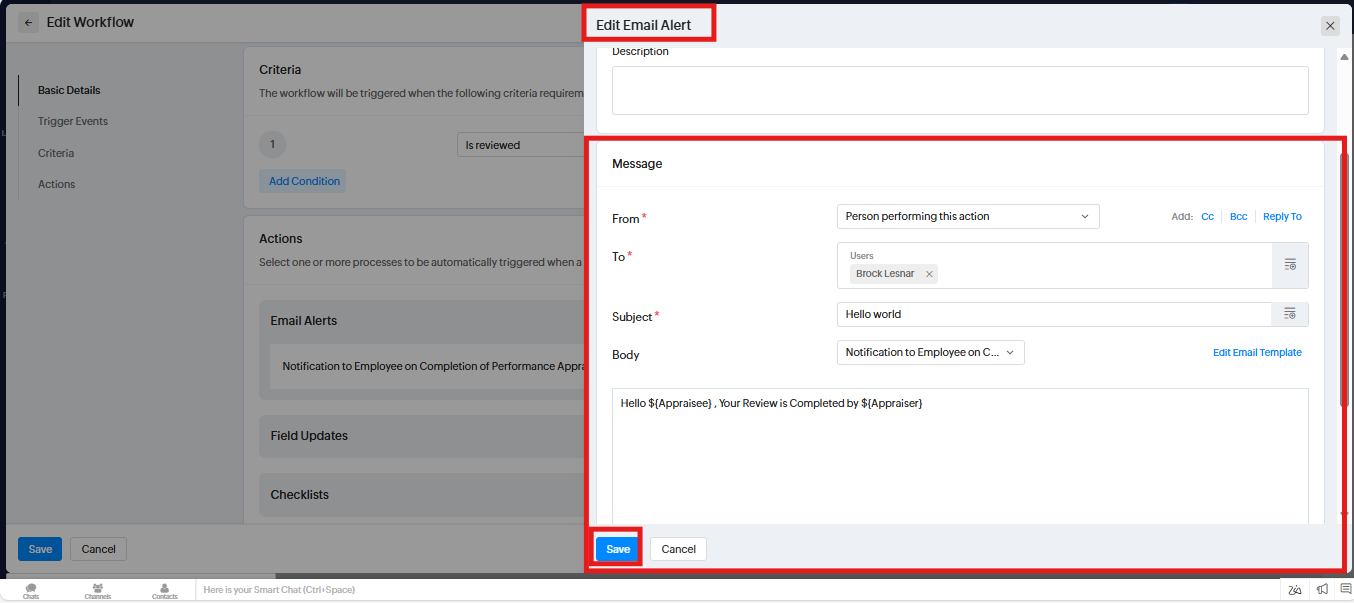
5. A new popup will open. Under " Edit Email Alerts" fill the information as per your requirement.
Related Articles
How to set up a workflow in Zoho People to send an email notification to an employee once the reviewer completes the appraisal?
To set up a workflow to send an email notification to the employee once the reviewer completes the appraisal. Please log in to Zoho people with Super Admin credentials. Please follow the steps below. 1. Please go to "Settings" to the top right corner ...How to set up a workflow to send an email notification to the employee once the reviewer is done?
To set up a workflow to send an email notification to the employee once the reviewer is done. Please log in to Zoho people with Super Admin credentials. Please follow the steps below. 1. Please go to "Settings" to the top right corner and navigate " ...How to set up a workflow to send an email notification to an employee in Zoho People once the reviewer is done?
To set up a workflow to send an email notification to the employee once the reviewer is done. Please log in to Zoho people with Super Admin credentials. Please follow the steps below. 1. Please go to "Settings" to the top right corner and navigate " ...How to create a workflow that automatically sends an email notification for edit reporting manager to the employee whenever there is a change in their reporting manager?
To create a workflow that automatically sends an email notification for edit reporting manager to the employee whenever there is a change in their reporting manager. Please log in to Zoho People with Super Admin Credentials. Please follow the below ...How to disable this option in performance Module so that reviewers can view the self-appraisal review of the appraisee?
To disable this option so that reviewers can view the self-appraisal submitted by the appraisee. Please log in to Zoho People with Super Admin credentials. Please follow the below steps. 1. Please go to "Settings" and navigate to "Performance" and ...