How to regularize the attendance through the Attendance Summary in Zoho People ?
To regularize the attendance through the Attendance Summary in Zoho People.
Please log in to Zoho People with Super Admin credentials. Please follow the below steps.
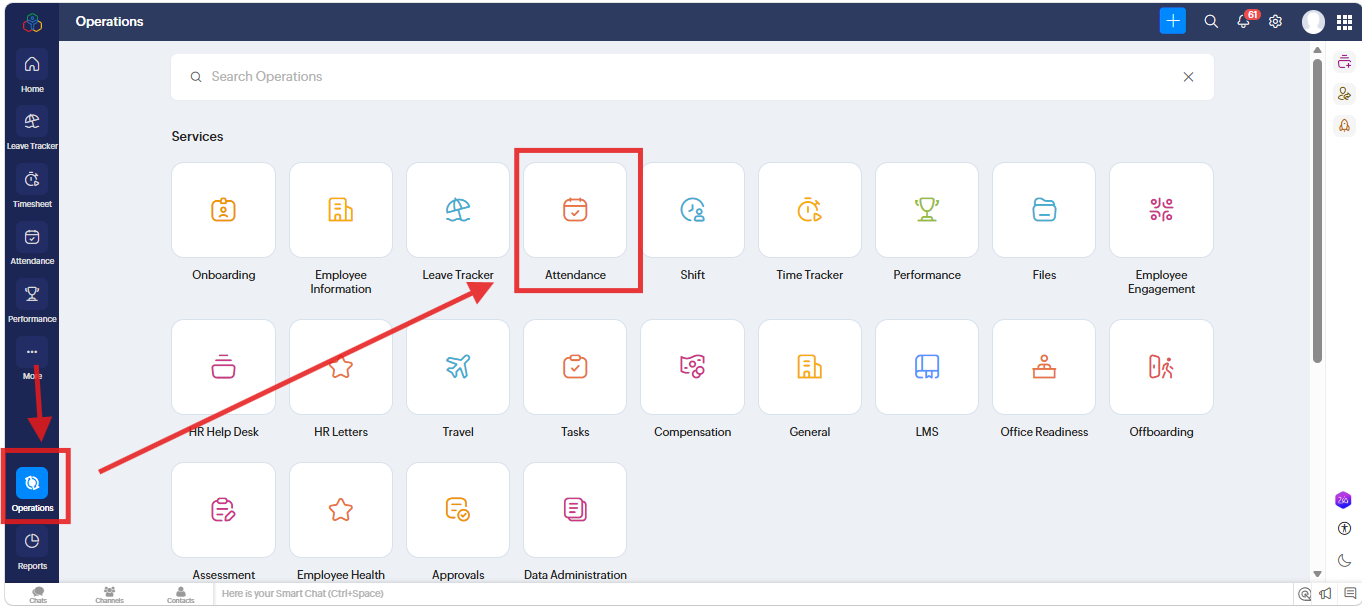
1. Please go to "Operation" and navigate to " Attendance" and click on it.
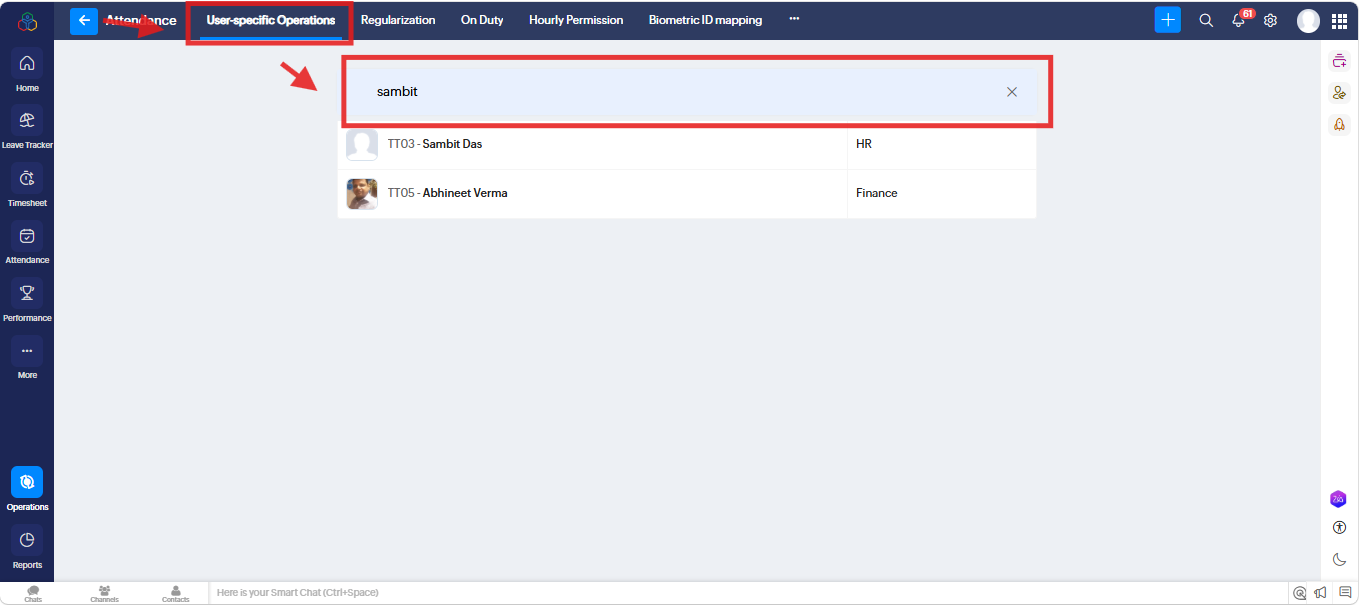
2. A new screen will open. Under " User Specific Operations" go to "Search" and search for particular User. and click on it.
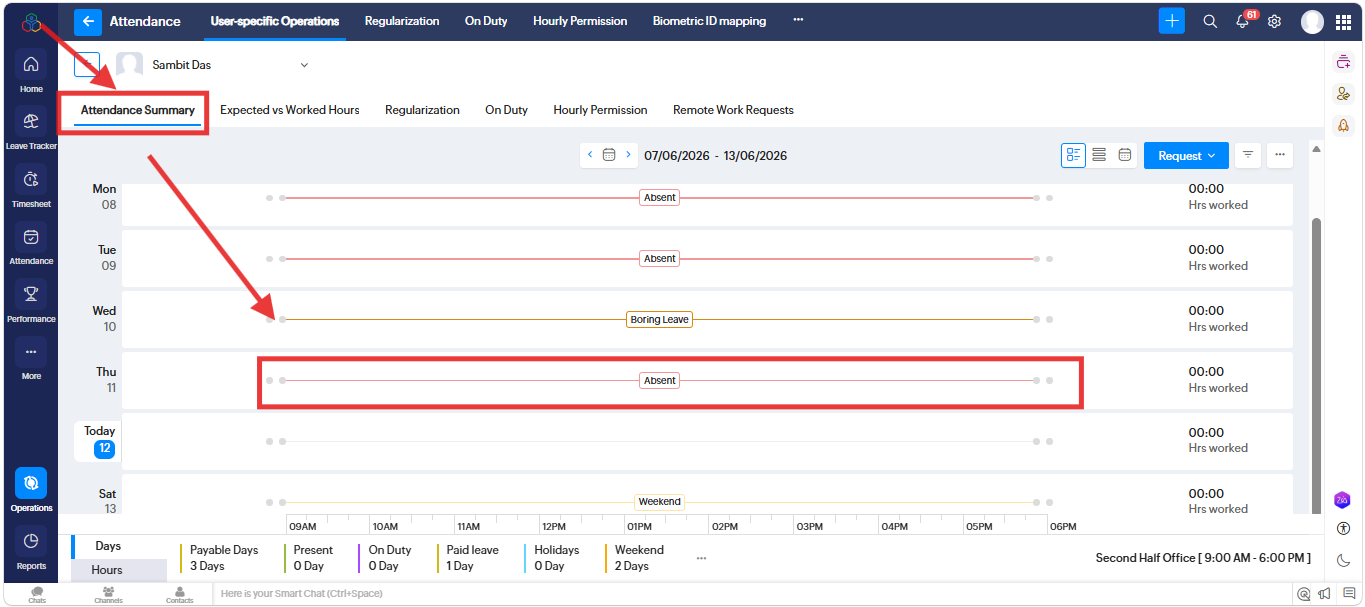
3. A new screen will open. Under " Attendance Summary" and click on particular "Absent day"
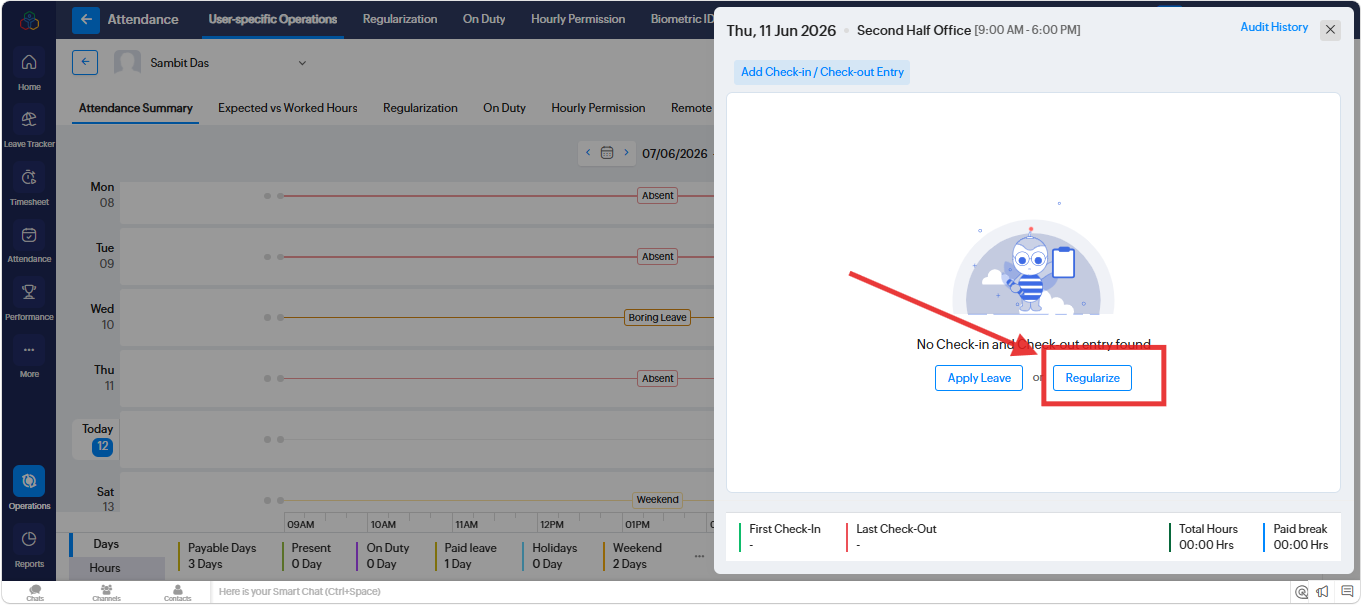
4. A new popup will open. Please click on "Regularization" option.
5. A new popup will open. Under "Request Regularization" please fill all information as per requirement and "Submit"
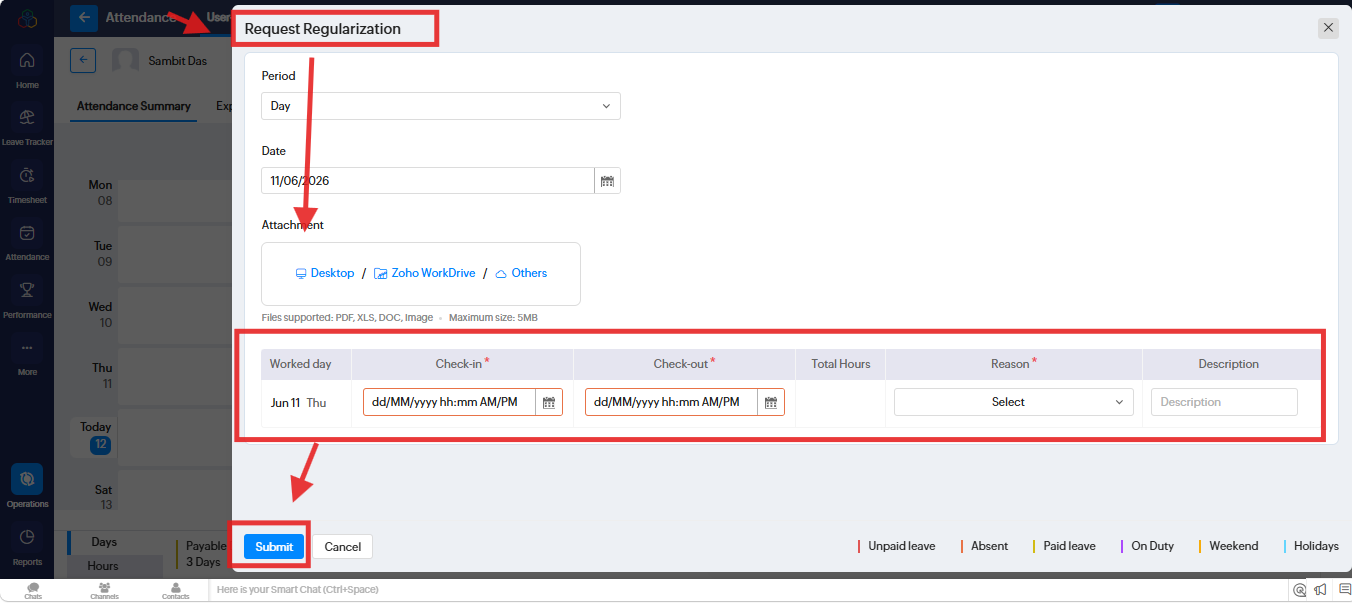
Note: The request will go to your Manager for Approval.
Related Articles
How to regularize the attendance in Zoho People 5.0.
To regularize the attendance in Zoho People 5.0. Please log in to Zoho People with Super Admin credentials. Please go to over all "Settings" to the top right corner and navigate to "Operations" and click on it. A new screen will open and go to ...How to update an employee's Check-In and Check-Out times manually in the Attendance Summary in Zoho People?
To update an employee's Check-In and Check-Out timing manually in the Attendance Summary in Zoho People Please log in to Zoho People with Super Admin credentials. Please follow the below steps. 1. Please go to "Operation" and navigate to " ...How can a reporting manager regularize attendance for their team members?
Yes, the reporting manager can regularize attendance for their team members. Please log in to Zoho People with Super Admin credentials. Please follow the below steps. Please go to Home>> Attendance >> Team >> Regularization >> Add Request Please ...How do we verify in Zoho People which option has been chosen for attendance regularization?
To check which option has been chosen for attendance regularization. Please log in to Zoho People with super Admin credentials. Please follow the below steps. Please go to "Settings" to the top right corner and navigate to "Attendance" and click on ...How to generate Attendance and Timesheet reports for an entire financial year in Zoho People?
Currently, the report cannot be generated for an entire year at once. You can filter and export the report on a month-by-month basis instead. Exporting reports for a whole year in a single instance is currently not supported for attendance data for ...