How to update an employee's Check-In and Check-Out times manually in the Attendance Summary in Zoho People?
To update an employee's Check-In and Check-Out timing manually in the Attendance Summary in Zoho People
Please log in to Zoho People with Super Admin credentials. Please follow the below steps.
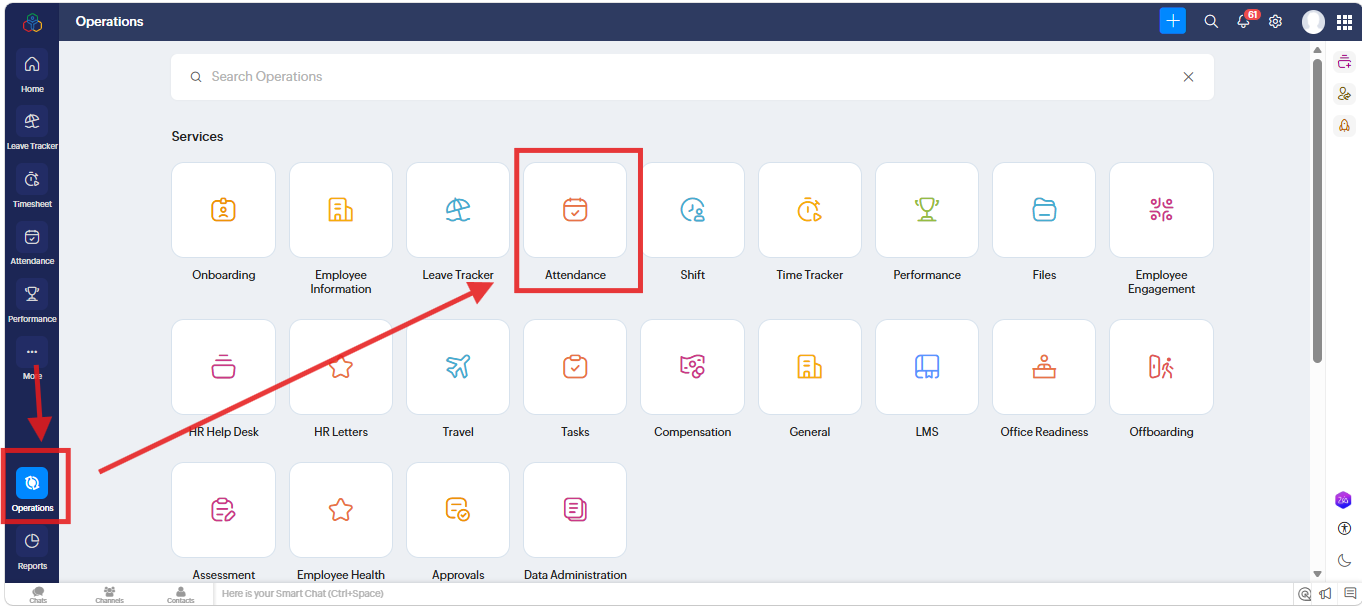
1. Please go to "Operation" and navigate to " Attendance" and click on it.
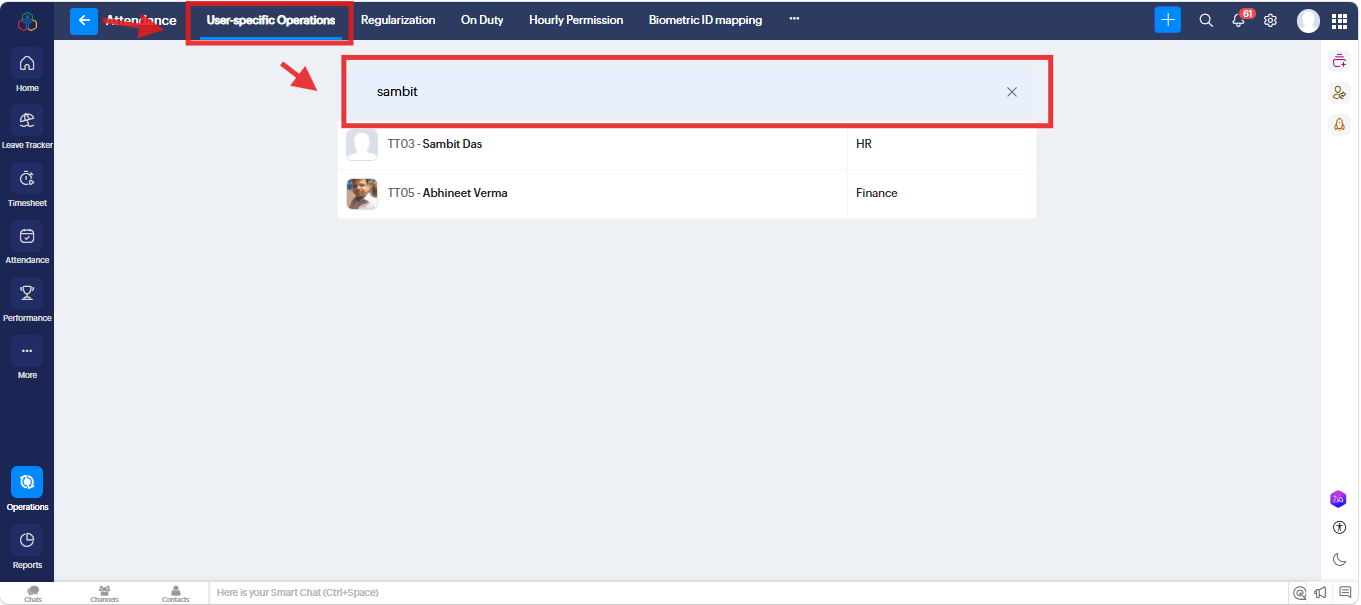
2. A new screen will open. Under " User Specific Operations" go to "Search" and search for particular User. and click on it.
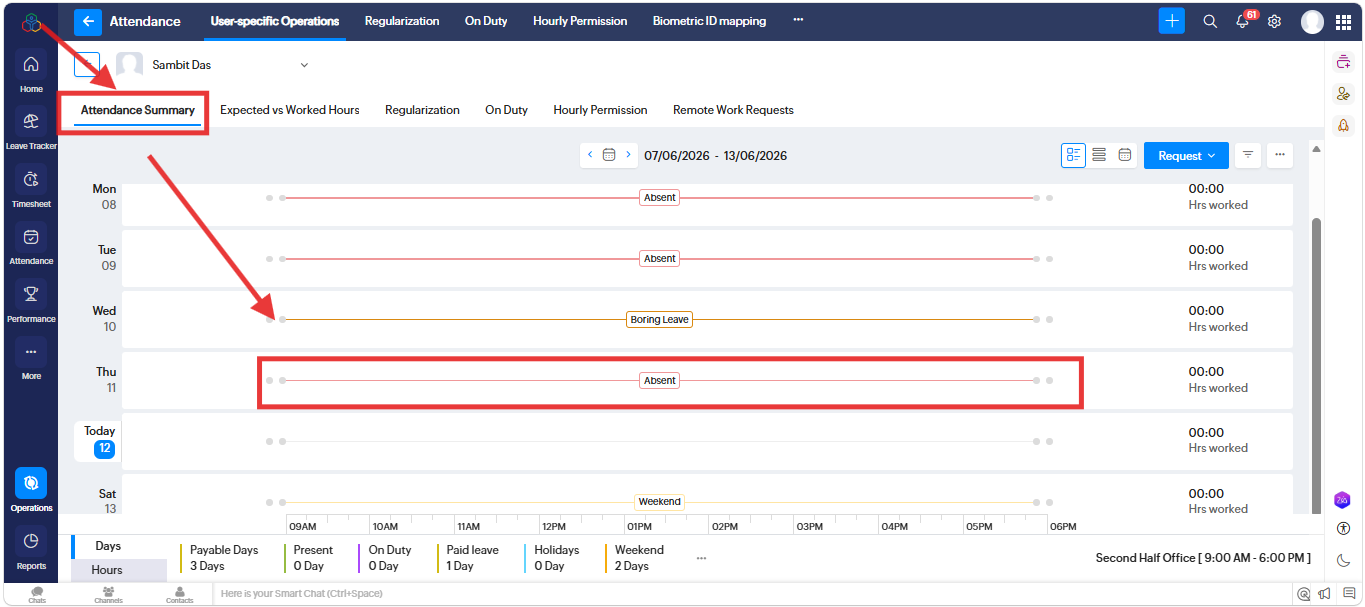
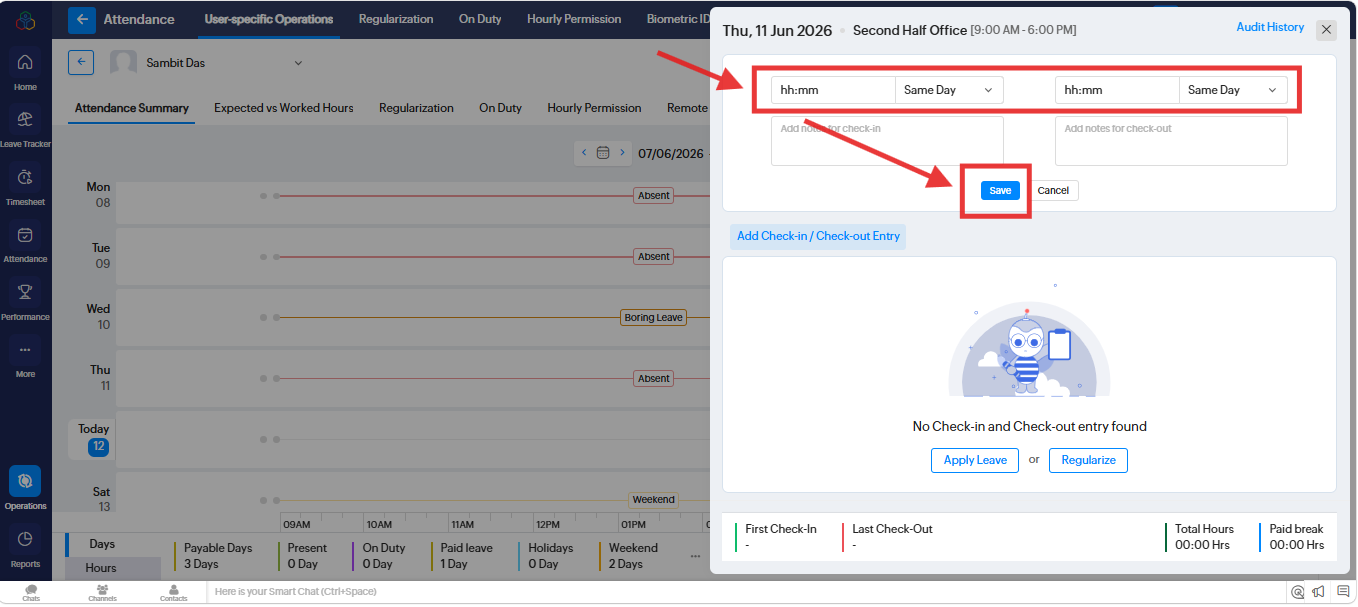
3. A new screen will open. Under " Attendance Summary" and click on particular "Absent day"
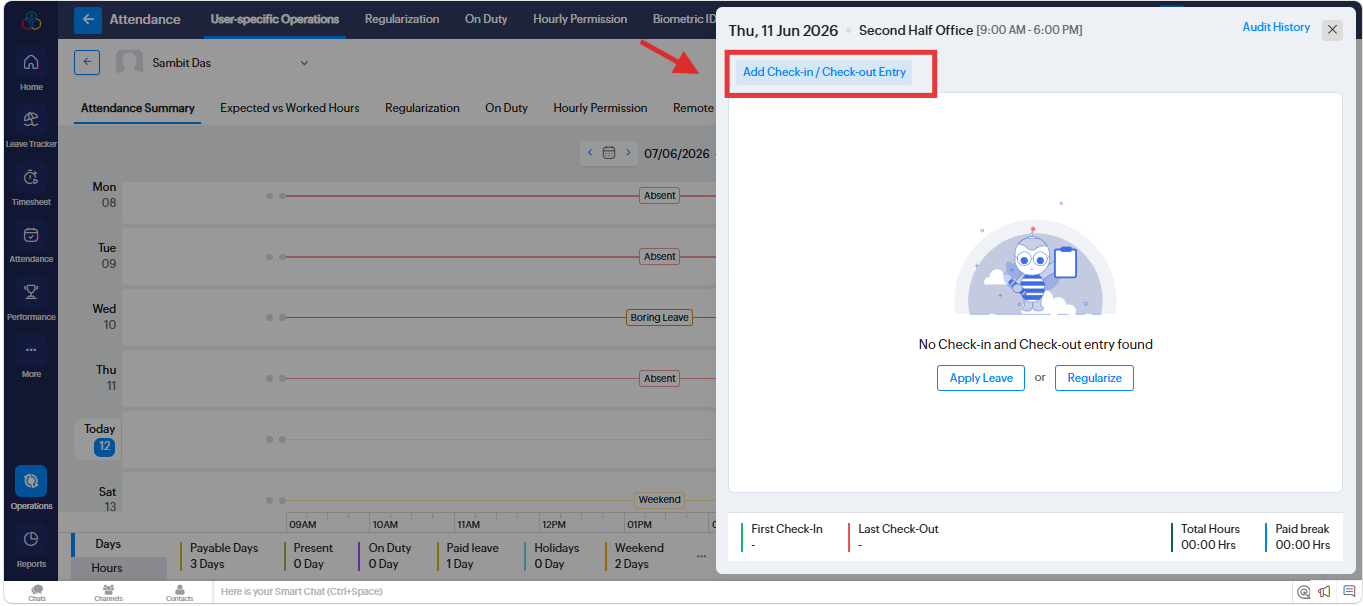
4. A new popup will open. Please click on "Add Check-in / Check-out Entry" and add the timing as per your shift.
Related Articles
How to regularize the attendance through the Attendance Summary in Zoho People ?
To regularize the attendance through the Attendance Summary in Zoho People. Please log in to Zoho People with Super Admin credentials. Please follow the below steps. 1. Please go to "Operation" and navigate to " Attendance" and click on it. 2. A new ...How to check the option enabled in the employee’s mobile app under Preferences in the Zoho People Mobile App for particular Modules?
To enabled particular Modules for employee’s Zoho People mobile app under Preferences. Path to check: Open the Zoho People Mobile App >> Tap More (bottom right) >> Tap the three-line menu (top right corner). Please refer to the screenshot for ...How to check the Employee Status in Zoho People?
To check the Employee Status in Zoho People. Please log in to Zoho People with Super Admin credentials. Please follow the below steps. 1. Please go to "Settings" and navigate to "Manage Accounts" and click on it. 2. A new screen will open. Under ...How to regularize the attendance in Zoho People 5.0.
To regularize the attendance in Zoho People 5.0. Please log in to Zoho People with Super Admin credentials. Please go to over all "Settings" to the top right corner and navigate to "Operations" and click on it. A new screen will open and go to ...How to check the status of an employee in Zoho People?
To check the status of an employee in Zoho People. Please log in to Zoho People with Admin credentials. Please follow the below steps. 1. Please go to "Settings" and navigate to "Manage Accounts" and click on it. 2. A new screen will open. Under " ...