How to upload salary slips in Zoho People and allow employees to view/download them through the employee portal or mobile app?
To upload salary slips and allow employees to view/download them through the employee portal or mobile app, this can be managed within Zoho People.
Please log in to Zoho People with Super Admin credentials. Please follow the below steps.
1. Please go to "Operations" and navigate to "Files" and click on it.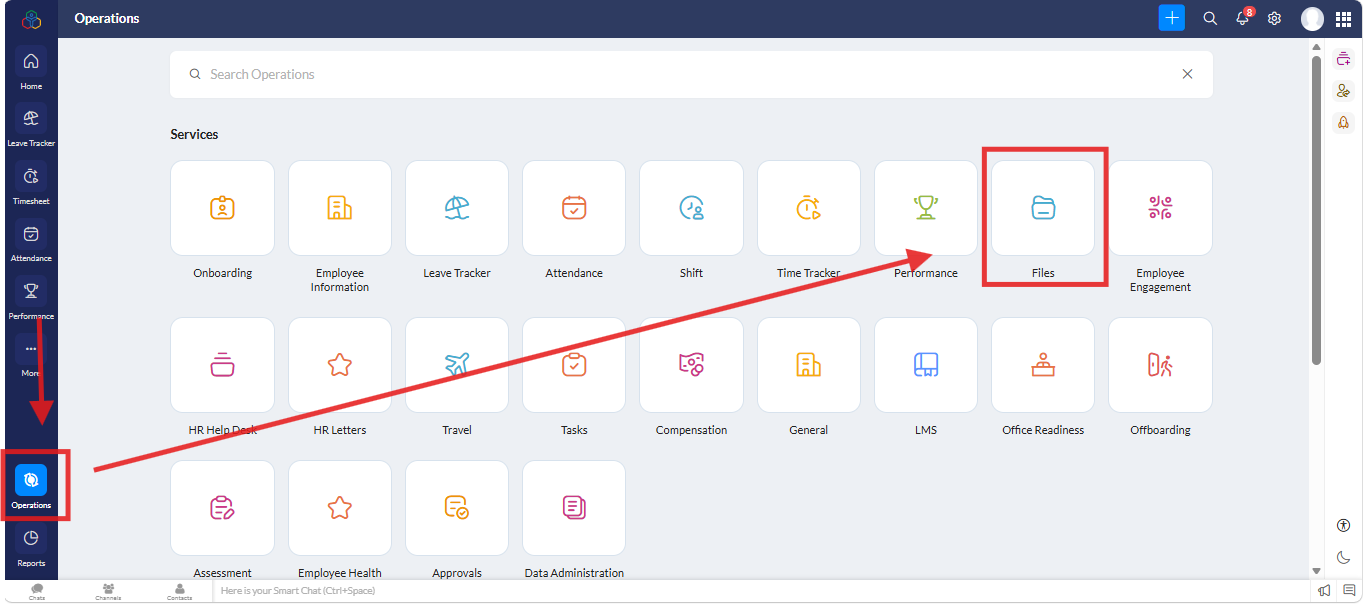
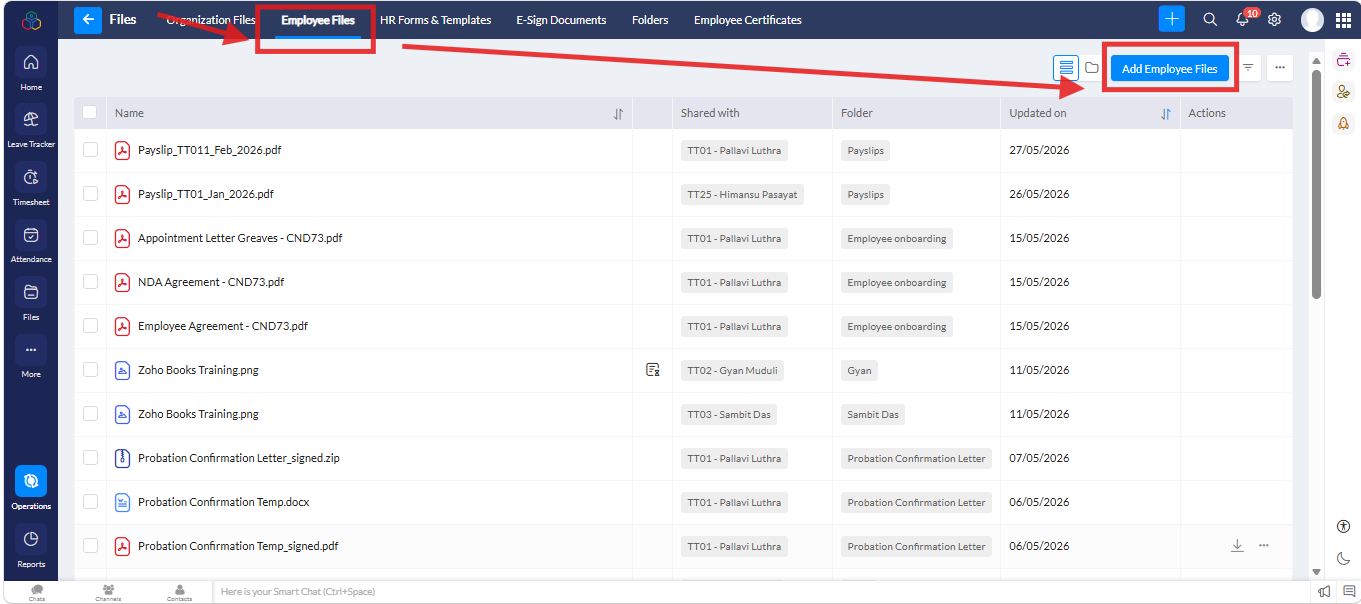
2. A new screen will open. Under "Employee Files" go to "Add Employee file" and click on it.
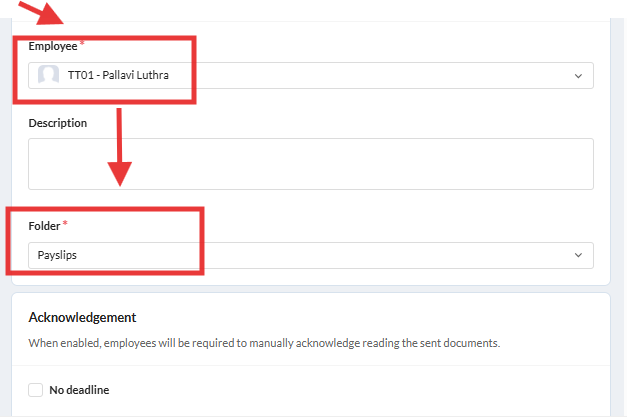
3. A new popup will open. Under "Add Employee File" and "Upload file", File Access set as "Employee" and "Employee Status as Active"
Please select the "Employee Name" and "Folder name"
Under "File permission" please click on the checkboxes of "View Access to Employee" and "Download Access to Employee"
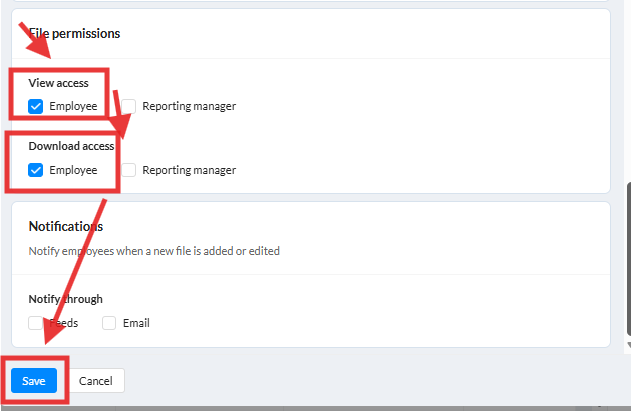
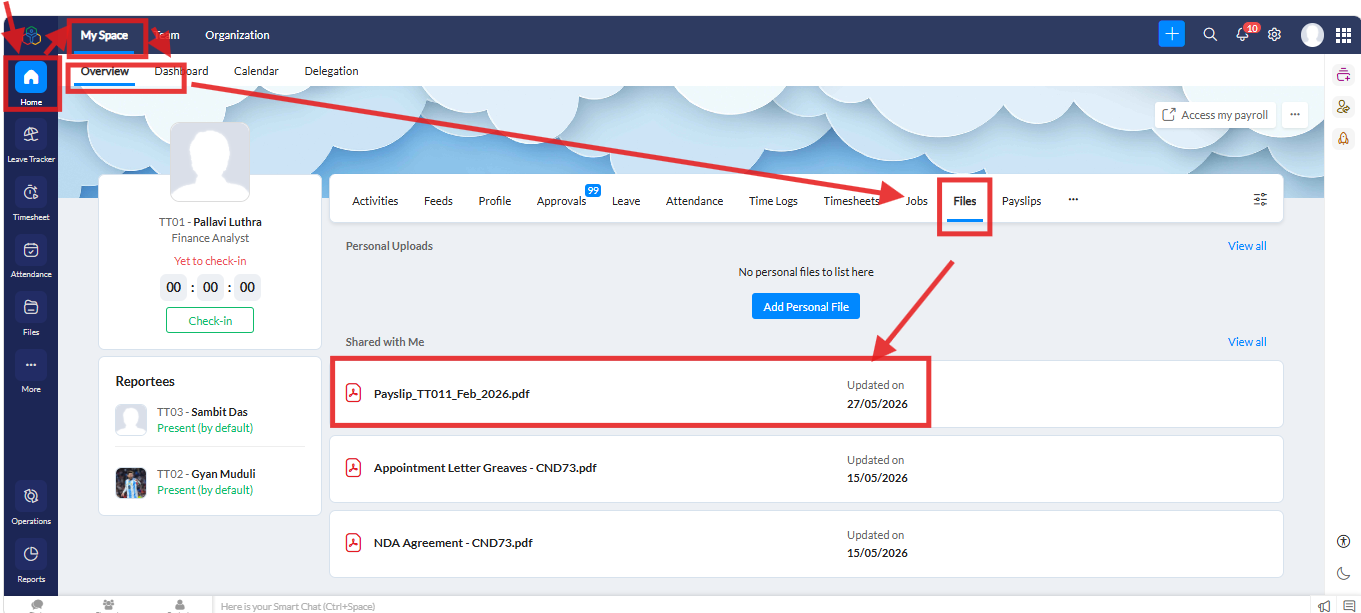
Once done. please go to "Home >> My Space >> Over View >> Files and check the file for employee.
Related Articles
How to add bulk upload the employees details in Zoho People 5.0?
Log in with your Super admin credentials. Navigate "Operations" (left menu) and then click on the "Employee Information" 3. Click on the "Employees" (top menu) and then click on the three dots (...) top right corner and then click on "Import" 4. In ...How to check the option enabled in the employee’s mobile app under Preferences in the Zoho People Mobile App for particular Modules?
To enabled particular Modules for employee’s Zoho People mobile app under Preferences. Path to check: Open the Zoho People Mobile App >> Tap More (bottom right) >> Tap the three-line menu (top right corner). Please refer to the screenshot for ...How to grant permission to employees to upload their profile picture in Zoho People?
To grant permission to employees to upload their profile picture in Zoho People Please log in to Zoho people with Super Admin credentials. Please follow the below steps. Please go to "Settings" and navigate to "Manage Accounts" and click on it. A new ...How can employees upload their personal files in Zoho People?
The employees to self upload their own files in Zoho People. Please log in to Zoho People with Super Admin credentials. Please follow the below steps. 1. Please go to "Home" and click on "Three Dots(...) and "Files". if file option not showing as per ...How to add announcements using iOS Mobile App in Zoho People?
To add announcements using iOS Mobile App. Please log in Zoho People via iOS Mobile App. Tap the Announcement tab. Tap the + icon in the top right corner. Enter the announcement title and announcement. Tap Post in the top right corner. Please refer ...