How to add a recently joined contract employee profile in Zoho People without including the employee in Zoho Payroll?
To enable the employee profile on Zoho People and disable it on Payroll.
Please log in to Zoho People with Super Admin credentials. Please follow the below steps.
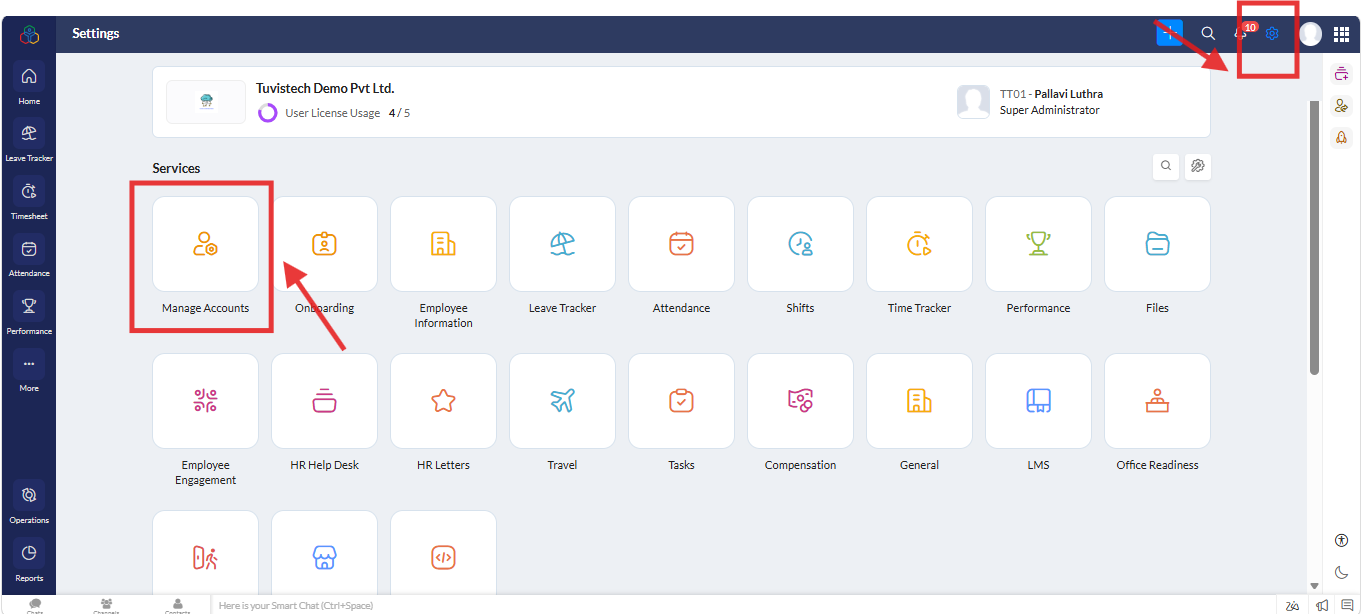
1. Please go to "Settings" and navigate to " Manage Accounts" and click on it.
2. A new screen will open. Under " Users" go to "All" then go to particular user and click on it.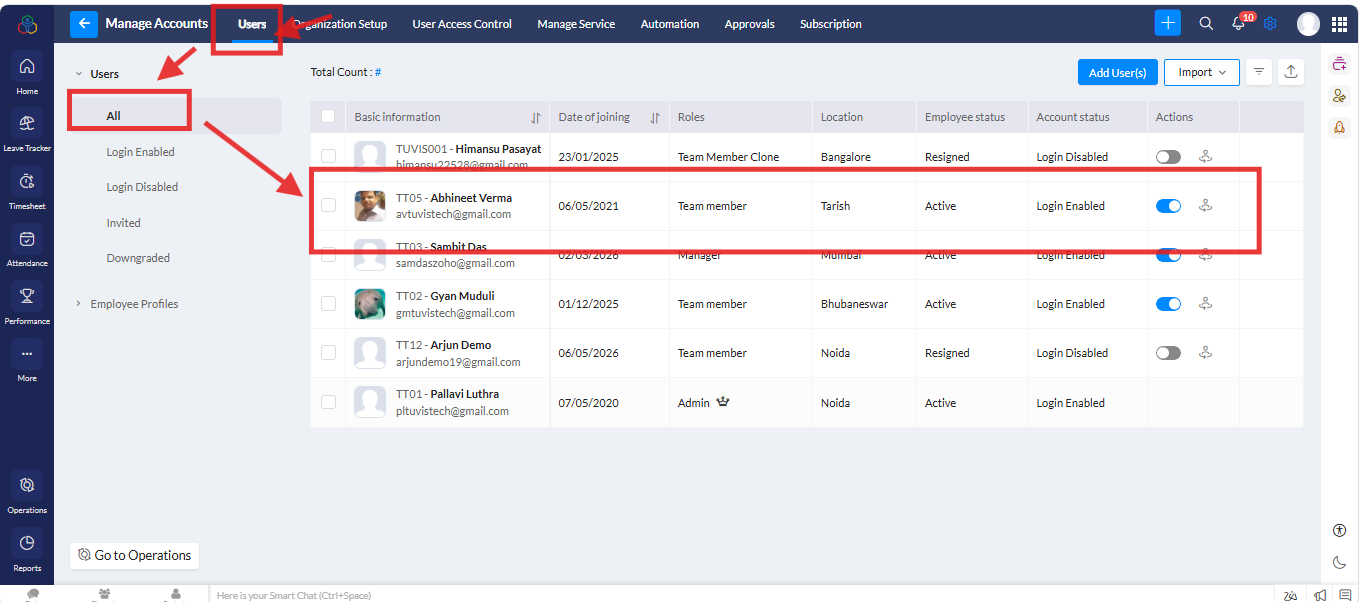
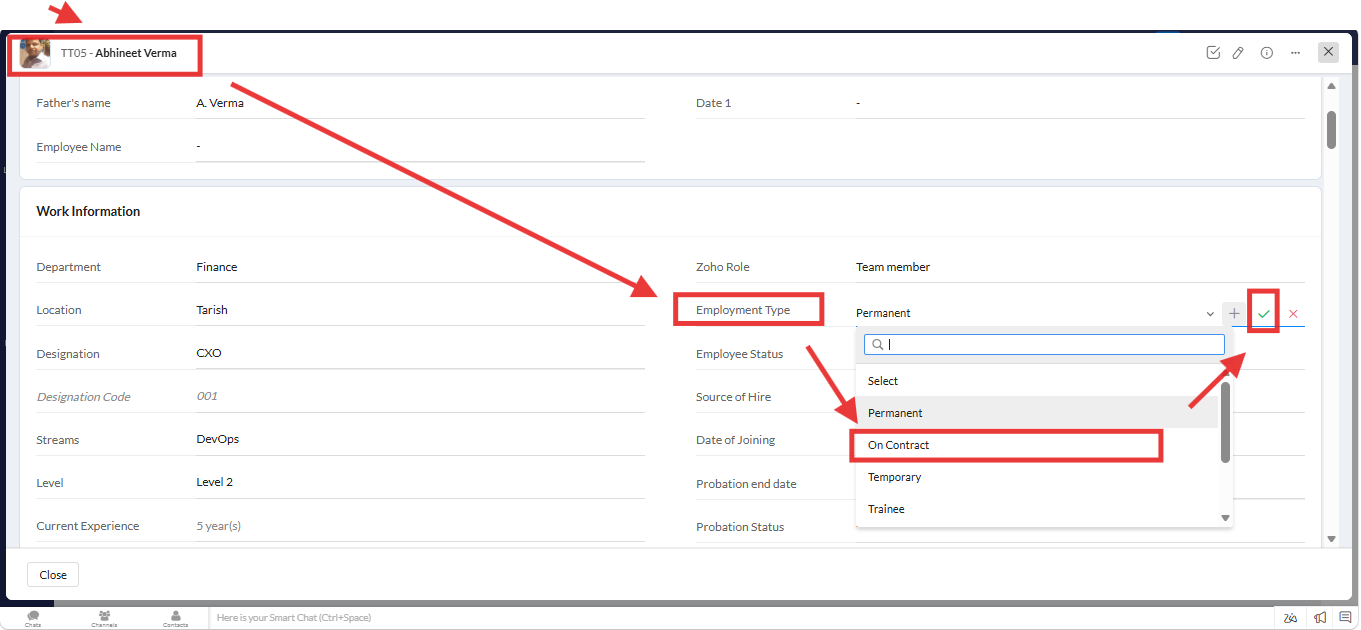
3. A new screen will open. Under "User details" go to "Employment type" select the "On contract" option from the dropdown and click on the symbol as per the screenshot.
One done, please log in Zoho payroll with super Admin credentials.
1. Please go to "Dashboard >> Settings >> Integrations >> Zoho Apps click on it >> Zoho App >> Integrations-Zoho Apps >> click on "View Details"
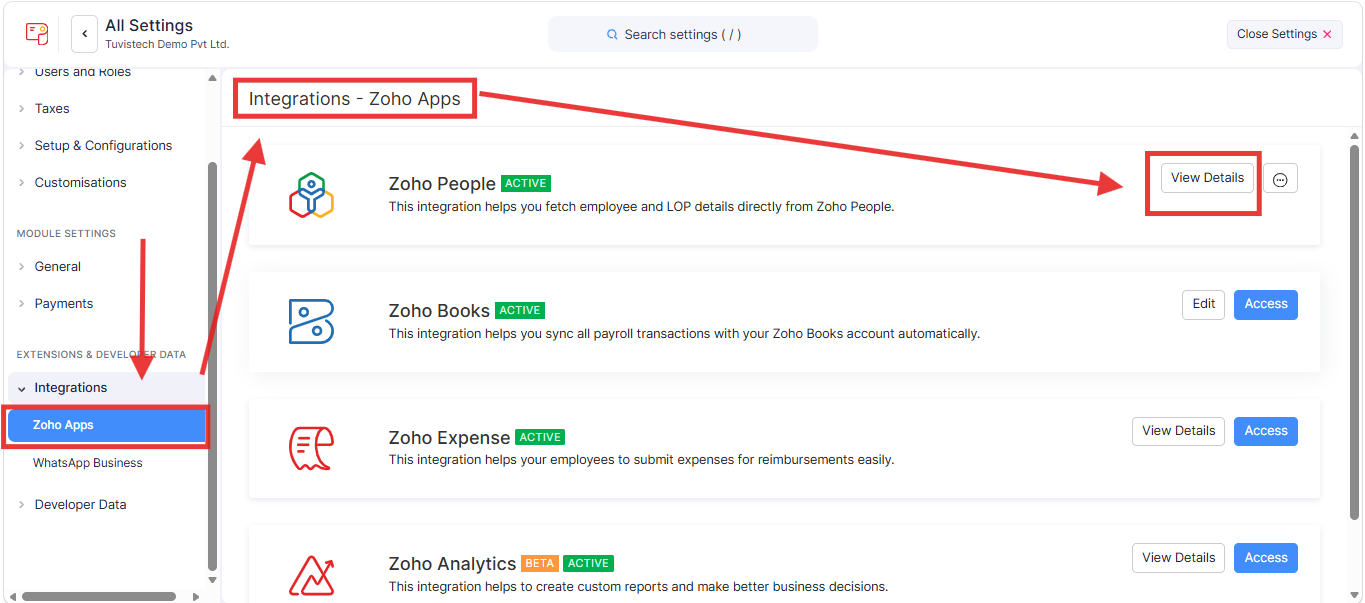
2. A new screen will open. Under Sync Configuration" and click on "Edit"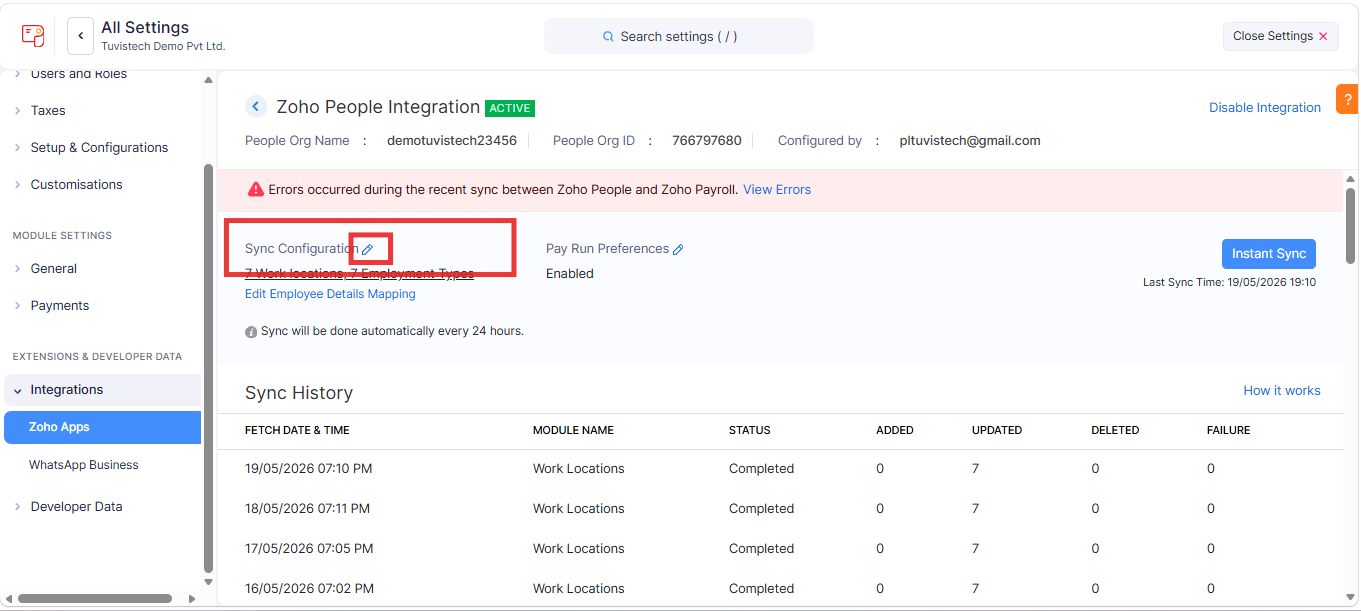
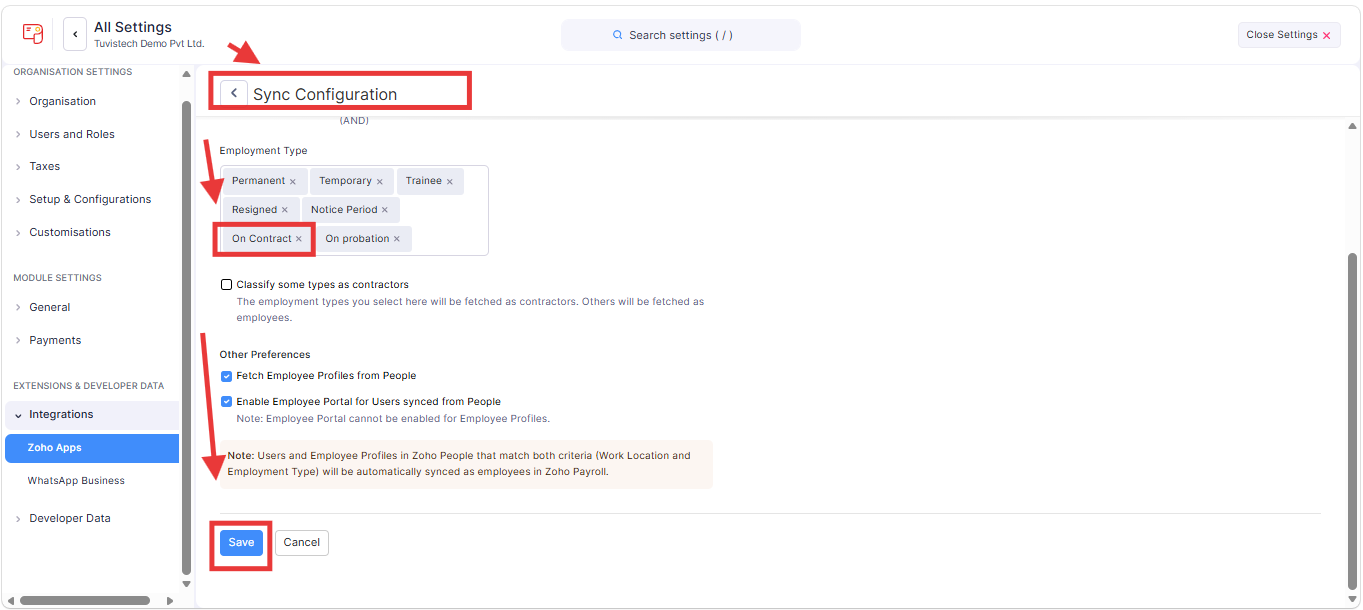
3. A new screen will open. Under "Sync Configuration" go to "Employment type" and remove the "On Contract" from the list and "Save"
Related Articles
How to add a new designations to Zoho People?
To add new designations to Zoho people. Please log in to Zoho People with Super Admin credentials. Please follow the below steps. 1. Please go to "Settings" to the top right corner and navigate to "Manage Accounts" click on it. 2. A new screen will ...How to maintain backend client-specific designation mapping in Zoho without changing employee-visible designation?
To maintain backend client-specific designation mapping in Zoho without changing employee-visible designation with the custom function. Please log in to Zoho People with Super Admin credentials. Please follow the below steps. 1. Please go to ...How to redo an appraisal cycle in Zoho People without deleting the existing one?
To redo an appraisal cycle in Zoho People without deleting the existing one. Please log in with Zoho People with Super Admin credentials. Please follow the below steps. 1. Please go to "Settings" in the top-right corner and navigate to "Operations" ...How to update the Employment Type to "On Contract" and fill in Separation Information for a user in Zoho People?
To update the Employment Type to "On Contract" and fill in Separation Information for a user in Zoho People. Please log in to Zoho People with Super Admin credentials. Please follow the below steps, 1. Please go to "Settings" and navigate to " Manage ...What is "Manage Accounts" settings in Zoho People 5.0?
What is the "Manage Accounts" settings in Zoho People? The most important step in setting up Zoho People for your organization happens here. This includes creating your account and choosing settings that affect the whole company. It covers the ...